Updated: December 04, 2025
From Case to Counter: How Exhibitors Assemble All-in-One Display Units Efficiently
Introduction
From the first shipment to the finished booth, an all-in-one case-to-counter display is designed to simplify the exhibitor experience. This product-focused guide explains how a single unit serves as transport, storage, and an impactful counter display on the show floor. By focusing on practical features and real-world benefits, you will learn why this solution is ideal for frequent exhibitors and marketing teams who value time, consistency, and portability.
General Information
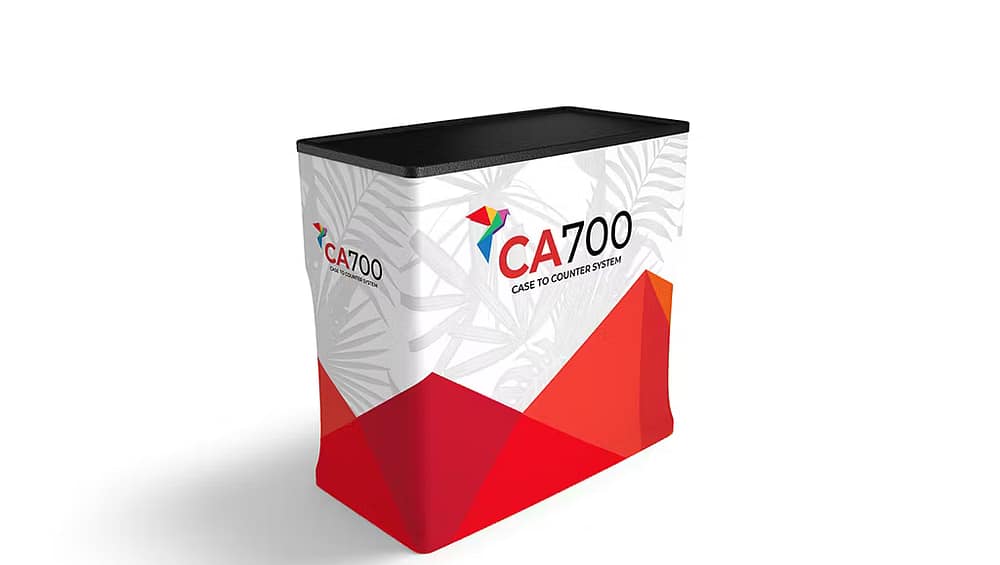
These all-in-one display units combine a hard protective case with a quick-convert counter and graphic surface. As a result, the product reduces the need for extra crates, separate counters, and large tool kits. Moreover, the integrated design preserves brand presentation across events because the visual remains consistent and easy to set up. Discover additional variations and accessories by visiting the official
Case & Counter (All-in-One) collection.
Specifications
Typically, specifications include external dimensions for transport, assembled counter height and width, weight, and maximum graphic size. In addition, interior compartments for literature, AV equipment, and product samples are common. For event planners, these data points clarify shipping costs, booth layout compatibility, and storage needs. Therefore, check the specification sheet to confirm compatibility with trade show rules and airline checked-luggage limits when applicable.
Product Highlights
The core benefits focus on efficiency and professional presentation. First, the unit saves packing space because the display folds into a single transport case. Second, setup time is minimal and often tool-free, which reduces labor costs. Third, the exterior graphic panel offers a smooth branded surface that improves readability and visual impact. Consequently, your team can spend less time assembling and more time engaging attendees.
Components and Design Features
The unit normally includes a wheeled hard case, a detachable countertop, internal shelving, and magnetic or snap-fit graphic attachment points. Furthermore, design features such as reinforced corners, lockable latches, and foam-lined interiors protect promotional materials during transit. In addition, modular shelving allows quick reconfiguration to display product samples, literature, or a laptop. These components combine to create a versatile exhibit tool that supports multiple event formats.
Portability and Setup Process
Portability is a priority for this product. Therefore, case wheels, a telescoping handle, and balanced weight distribution allow one person to move the unit across a busy trade show floor. Setup typically follows three simple steps: wheel the case into position, unfold the counter top, and attach the graphic panel. Because the system uses quick fasteners and clear alignment guides, setup time is often under ten minutes. As a result, teams can redeploy staff faster and avoid overtime setup fees.
Use Cases
These displays work well in a variety of settings. For example, use the unit as a staffed demo counter at a busy exhibition, a pop-up retail checkout at a short-term activation, or an information station at conferences. Additionally, marketing teams often deploy multiple identical units to create a consistent visual presence across multi-city tours. Finally, the internal storage turns the case into a secure vault for high-value samples and electronic equipment.
Conclusion
In summary, an all-in-one case-to-counter display delivers dependable protection, rapid setup, and a polished branded surface. For exhibitors who need to move fast and look professional, this product reduces logistical friction while increasing on-floor impact. Therefore, when you choose a well-designed all-in-one display, you gain time savings, consistent presentation, and a versatile tool that supports a wide range of event scenarios.